A remote console for HPE iLO and Dell iDRAC managed servers.
Firstlight is a native Windows KVM client for servers managed through HPE Integrated Lights-Out or the Integrated Dell Remote Access Controller. You never pick a vendor: type the address, and Firstlight asks the controller what it is before any credentials go on the wire. Full keyboard, video and mouse access from power-on through BIOS/UEFI to the running operating system, plus ISO virtual media, power control and boot override. One self-contained executable, with no browser plug-in, Java or .NET runtime.
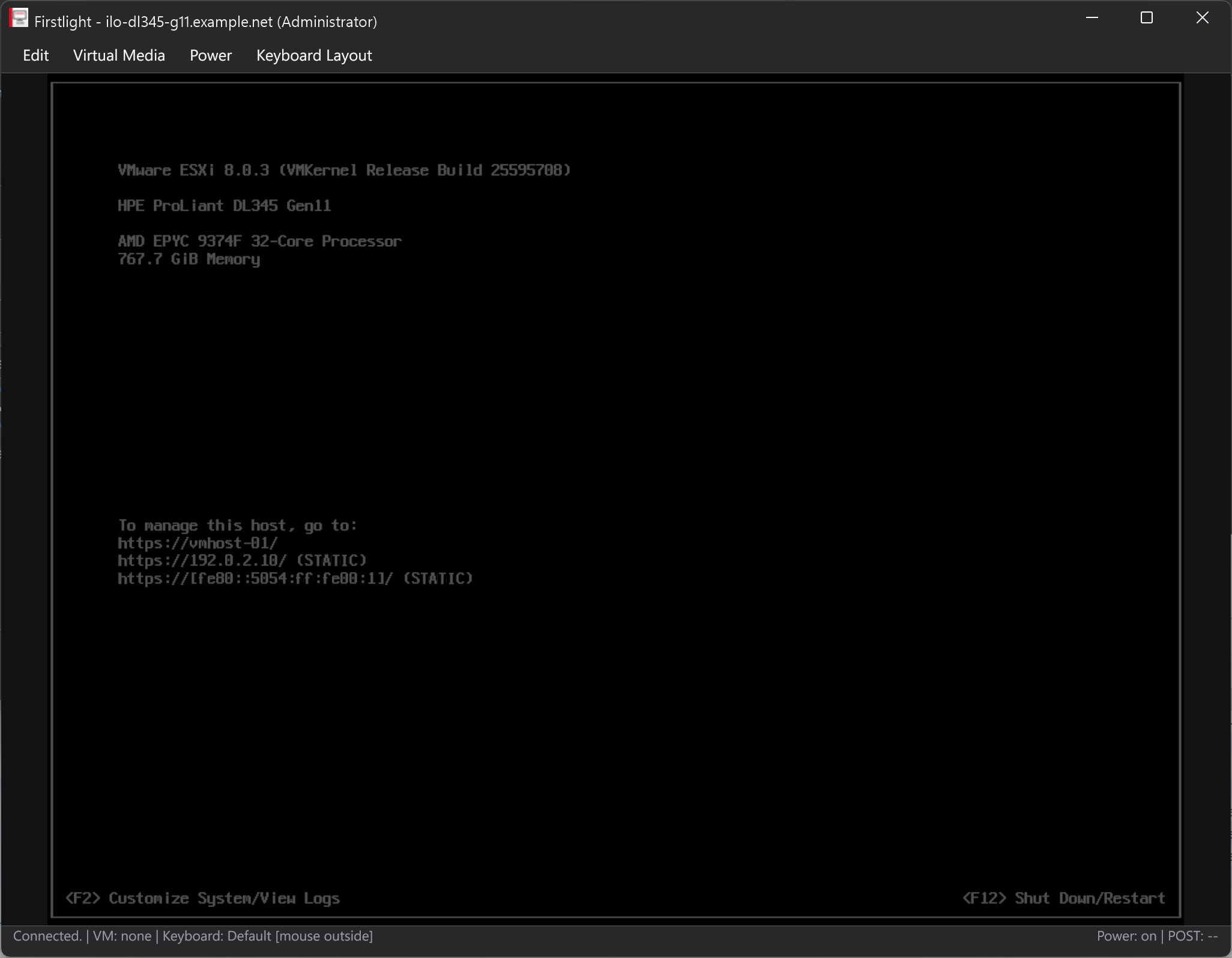
Everything the console session needs, in one window
Firstlight is a community-maintained successor to the legacy HPLOCONS client, and a foundation for what that client never did.
No vendor dropdown
The address alone decides. Firstlight reads the documents a controller serves to an unauthenticated client, recognises an iLO or an iDRAC from them, and connects the matching stack. Nothing to select, nothing to get wrong.
Every protocol generation
On HPE, the legacy V1 protocol of iLO 4 including KVM and command-channel encryption, and V2 or newer for later generations. On Dell, the RFB protocol the iDRAC serves over a WebSocket, with the vendor key exchange and control messages around it.
Shared and seized sessions
Join a busy console as a shared session or seize it. On HPE you get an explicit Allow/Deny prompt for incoming join requests. On Dell a console held by someone else is reported as held instead of showing a black window, and the Session menu lists the other viewers or takes the console over.
ISO virtual media
Mount a local ISO as a virtual CD/DVD on every path, for installation, driver injection or recovery. The image always streams outbound over the connection you already have, so the controller never connects back and a firewall or NAT boundary does not break it.
Power and boot override
Momentary press, press-and-hold, cold boot and reset, each destructive action behind a confirmation. Set a verified one-time virtual CD/DVD boot override without power-cycling.
Multi-session launcher
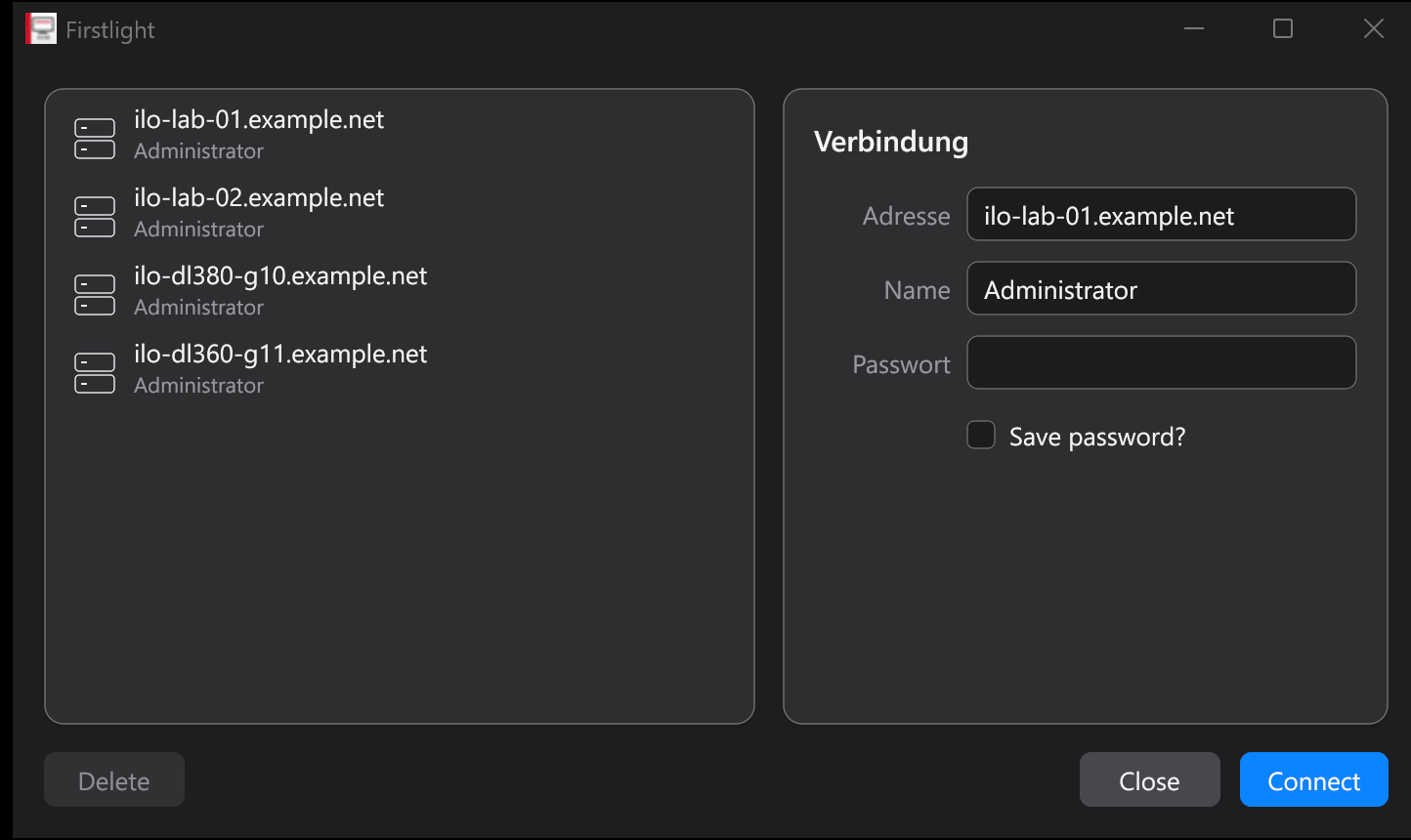
Keep a list of systems of either family and connect to several at once, each in its own window. Saved passwords are encrypted for the current Windows user with DPAPI, opt-in per entry.
Native, not a web view
A GPU-rendered interface built on Gio and drawn through Direct3D 11. No Electron, no bundled browser engine. Light and dark themes follow the Windows setting and switch live.
As far as we can tell after a short search, this is the first open-source desktop client that speaks the Dell iDRAC9 Virtual Console protocol itself, and the only one that reaches iLO and iDRAC from one application. What is published for iDRAC9 is Redfish management, an embedded copy of the vendor's own HTML5 console, or a launcher for the Java viewer of the older generations; the protocol work that exists targets iDRAC6 and the Avocent JViewer family, which is a different protocol from a different supplier.
That does not mean nobody could see an iDRAC screen from a native window before. An iDRAC9 with an Enterprise licence also runs a separate VNC server, disabled in the factory configuration and on its own port behind its own password, which any VNC client has reached for years. It carries video, keyboard and mouse and nothing else. This is what a short search found rather than a proof, and a pointer to prior art we missed is welcome.
A modular keyboard layout system
A remote console has a problem a local terminal does not: the server cannot see which keyboard is on your desk.
iLO carries raw USB HID scancodes, and firmware, BIOS/UEFI and most installers read those as a US keyboard.
Untranslated, the key labelled Z on a German board arrives as Y, and @ does not arrive at all.
Firstlight fixes that in data instead of in code. Every layout is a JSON file, so a new language needs no Go change, no rebuild and no pull request. US and German ship built in and switch at runtime from the Keyboard Layout menu.
Dell solved the same problem in firmware. An iDRAC carries X11 keysyms, which name the character rather than the key position, so the controller does the mapping itself and ordinary typing needs no layout file at all. The menu still applies on Dell, because key chords and the clipboard typist run through the same pipeline on both families.
The layout on the other side
A remote console carries key positions, never characters. What a position becomes is decided by the operating system on the far side, and no controller can tell you that decision: it presents a virtual USB keyboard, which sits below the operating system and is exactly why the console also works in a BIOS that has no layout at all. Neither vendor exposes the remote keyboard layout over Redfish, and the in-band agents report an operating system name and version and nothing more.
Firmware, boot menus and installers read positions as US. A running German Windows does not: the position a US
board prints - on carries the sharp s there, so an untranslated minus key arrives as ß.
The Remote Layout menu says which layout the far side applies. en-US is the default
and changes nothing. Choosing German inserts one step: each keystroke is resolved to the character the user meant,
then encoded the way a German keyboard produces it. Keys that carry no character pass through untouched, which
covers the function keys, the arrows and every chord that is about positions rather than letters.
The tables behind it were not written by hand. They were read out of the Windows layout DLLs with
MapVirtualKeyEx and ToUnicodeEx, every key position in its plain, shifted and AltGr
state, for both layouts.
Passwords on a console that has no layout
This is where the difference shows up first. An ESXi DCUI login, a Linux getty, a BIOS password box: the
field hides what you type, so a wrong character just gives you a failed login with no clue which one it
was. A password holding !, /, @ or - fails three times
before you start typing it blind on a US layout in your head.
Switch the layout to German and the keys produce what is printed on them. For the passwords that already live in a password manager, Edit → Paste Clipboard retypes the clipboard as real HID keystrokes, one character at a time, so it lands in fields that have no clipboard of their own.
That paste path is nothing but HID keyboard reports on the KVM channel you already have. It never touches the iLO's own clipboard service and does not branch on the protocol version anywhere in the code, so it behaves the same on iLO 5 as on the legacy V1 protocol of iLO 4, where the firmware has no clipboard feature to offer in the first place.
A map is a delta over a protected base
A protected base map, us-base, holds the identity translation: 96 physical key rules and
97 clipboard character rules. A language map declares "extends": "us-base" and lists only what differs.
The built-in German map is 20 physical rules, because the other 76 keys already behave correctly.
Inheritance is resolved when the maps load, nests deeper than one level, and a map that extends itself through a cycle is rejected instead of hanging the loader.
Physical rules rewrite one key per state
The German 7, which carries / on Shift and { on AltGr:
{
  "input": "7",
  "plain": { "key": "DIGIT_7" },
  "shift": { "key": "SLASH" },
  "altGr": { "key": "LEFT_BRACKET",
             "modifiers": ["left_shift"] }
}
Text rules drive clipboard paste
Clipboard text is retyped as real keystrokes, so it works in BIOS/UEFI screens that have no clipboard of their own:
{
  "char": "@",
  "strokes": [
    { "key": "DIGIT_2", "modifiers": ["left_shift"] }
  ]
}
Because the remote target is always US, us-base already covers every character a US keyboard
can produce, so most language maps need no text rules at all. The built-in German map defines none.
How a keystroke resolves
- State priority is AltGr, then Shift, then plain.
- A key with a
plainrule but noshiftrule falls back to the plain stroke plusleft_shift, so the common case needs one line. - Ctrl, Alt and GUI combinations bypass language translation entirely.
CTRL+CstaysCTRL+C, andCTRL+ALT+DELkeeps working under any map. - Windows claims the real
CTRL+ALT+DELas its Secure Attention Sequence before any application sees it, so the menu bar carries a button that sends the chord to the remote host on either vendor. - Clipboard paste follows the remote layout alone, because which keys produce a character is a property of the far side and not of the keyboard on your desk.
{ "suppress": true }marks a source key with no portable US equivalent, so it is swallowed rather than mistyped.- A clipboard character that neither the map nor its base defines is counted and reported after the paste instead of being silently dropped.
Adding your own layout
- Export the template. Keyboard Layout → Export built-in German map... writes a working
german.jsonnext to an English authoring guide, as one atomic pair with rollback, so a failed export never leaves half a file behind. - Edit it, or let an LLM do it. The guide carries a prompt template written for exactly that, and a JSON Schema documents every field.
- Drop it in and restart. Put the
.jsonfile directly into thekeyboard-mapsdirectory besideFirstlight.exe. It appears in the menu under its owndisplayName.
A broken map never breaks the session
Maps are parsed strictly: unknown or trailing JSON, a wrong schemaVersion, a non-US
targetLocale, a duplicated key or character, an unknown HID name and files over 1 MiB are all rejected.
Every rejection becomes a startup warning rather than a failure. The remaining maps stay selectable,
a built-in map shadowed by a broken external file is restored, and two external files claiming the same
id cancel each other out, so a forgotten copy cannot silently win.
The MCP bridge uses the same translation layer. ilo_console_type_text types through the built-in US or German map, so an agent pasting a German password produces the same HID strokes the desktop client would.
Where it has actually run
Fully tested means verified end to end: console video, keyboard and mouse input, clipboard paste, power actions, one-time boot override, ISO virtual media and the MCP bridge. KVM core tested means connecting, video, keyboard and mouse were confirmed on that generation. Untested means nobody has pointed Firstlight at that combination, which is not the same as saying it fails.
| Server generation | Management processor | Console protocol | Status |
|---|---|---|---|
| HPE ProLiant Gen10 | iLO 5 | V2 or newer | Fully tested |
| HPE ProLiant Gen10 Plus | iLO 5 | V2 or newer | Fully tested |
| HPE ProLiant Gen11 | iLO 6 | V2 or newer | KVM core tested |
| HPE ProLiant Gen12 | iLO 7 | V2 or newer | KVM core tested |
| HPE ProLiant Gen8 / Gen9 | iLO 4 | V1 (legacy) | Expected, not yet confirmed |
| Dell PowerEdge R750 | iDRAC9, firmware 7.10.30.00 and 7.30.30.51 | RFB over WebSocket | Fully tested |
| Dell PowerEdge 15G / 16G | iDRAC9 | RFB over WebSocket | Expected, not yet confirmed |
| Dell PowerEdge 14G | iDRAC9, older firmware | RFB over WebSocket | Expected, not yet confirmed |
| Dell PowerEdge 12G / 13G | iDRAC7 / iDRAC8 | Unknown | Untested |
Both HPE protocol generations are implemented, so the remaining iLO combinations are expected to work without changes. Every Dell measurement behind the implementation comes from iDRAC9.
iDRAC firmware 7.30 changed how the web session accepts credentials. It stopped reading the two custom headers the
older firmware wanted and now expects ordinary HTTP basic authentication, answering 400 Bad Request with
authResult 99 otherwise. Firstlight sends both forms on every login, so one build works either side of
that change.
iDRAC7 and iDRAC8 have never been tried, and the honest answer about them is that nobody here knows. Those generations ship a different console client, but a different client does not have to mean a different protocol underneath, and the reverse holds as well. Trying one is cheap and safe: vendor detection reads the unauthenticated Redfish root before any credentials leave the workstation, and a controller that answers differently, or refuses the console channel, ends up with a failed connection rather than with anything changed on the server.
If you run Firstlight against a generation or firmware revision that is not listed, a short report of what worked is welcome, and a report from an older iDRAC would settle a question this project cannot settle on its own.
The same console stack, as MCP tools
A second standalone executable, Firstlight-mcp.exe, exposes the console over the Model Context
Protocol, so an LLM agent can open a session, watch the framebuffer, type, press chords, move the mouse,
control power, set a one-time boot device and mount or unmount ISO media. The tools carry an ilo_
prefix because the bridge predates Dell support; the names are kept so existing client configurations keep
working, and each tool operates on whichever controller the address belongs to.
Current protocol, not the 2024 draft
Built on the official MCP Go SDK. Version negotiation spans 2024-11-05 through 2026-07-28, and the HTTP transport is Streamable HTTP in the specification's stateless mode.
Explicit handles, not transport sessions
Because no transport session survives a request, console state lives behind a revocable console_handle with its own TTL. Several handles can drive several servers at once.
Built for careful automation
Idempotency keys on every mutating call, confirm: true on destructive ones, tool annotations that mark them as such, and an opt-in allow-list directory for ISO mounting.
The default stdio transport suits a locally launched server:
{
  "mcpServers": {
    "firstlight": {
      "command": "C:\\Program Files\\Firstlight\\Firstlight-mcp.exe"
    }
  }
}
HTTP is restricted to loopback on purpose. This release implements no HTTP authorization layer,
and the returned console_handle is a bearer capability: any caller holding it can operate that live
console until it is closed or expires. Prefer stdio, and use a dedicated least-privilege controller account.
Build it, or take a release
Windows and Go 1.25 or newer. The generated executables are self-contained; build products are deliberately not kept in the source tree.
git clone https://github.com/ThatIsCraZy/Firstlight.git
Set-Location Firstlight
go test ./...
go build -trimpath -ldflags '-H=windowsgui' -o Firstlight.exe ./cmd/firstlight
go build -trimpath -o Firstlight-mcp.exe ./cmd/firstlight-mcp
Start Firstlight.exe without arguments for the launcher, or connect directly with
-addr, -name and -password. The legacy HPLOCONS
-lang argument is accepted so existing shortcuts keep working.
A password on the command line may be visible to other local processes. Prefer the interactive
launcher on shared systems. Certificate verification is off by default because many controller installations use
self-signed certificates; turn it on with -verify-cert wherever the certificate is trusted.